

New to smart home technology? Discover what a smart home is, the benefits of connected devices, and how to get started without the confusion.
We’ve all seen those complex smart home videos online- houses with automated blinds, smart fridges, and intricate wall wiring that looks like it requires an engineering degree to install. It’s intimidating!
If you’ve browsed forums or Facebook groups trying to figure out how to start, you usually end up with a headache. You’re hit with endless debates about Amazon Alexa vs. Google Home, warnings about data privacy, and overwhelming jargon. It’s easy to get “analysis paralysis” and worry that you’ll spend hours trying to configure a single lightbulb only for it to fail.
The truth? A smart home shouldn’t feel like a chore. You don’t need to rewire your house, and you don’t need to be a tech genius. The secret to an easy setup is choosing user-friendly, reliable devices that talk to each other right out of the box.
By starting with a few plug-and-play essentials, you can completely transform your daily routine-like turning off every light in the house from the comfort of your bed with a single phrase.
Key Take Aways
- Smart homes should be simple, renter‑friendly, and stress‑free – no rewiring or tech expertise neccesary
- Focus on plug‑and‑play devices that connect easily and work together via Alexa.
- Start small: one or two devices can already transform daily routines.
Skip the Tech Headache: 4 Easy, Beginner-Approved Products
If you want a smart home that “just works” without the frustration, here are the absolute best entry-level products to start with today.
1. The Easy Command Centre: Amazon Echo Dot (5th Gen)
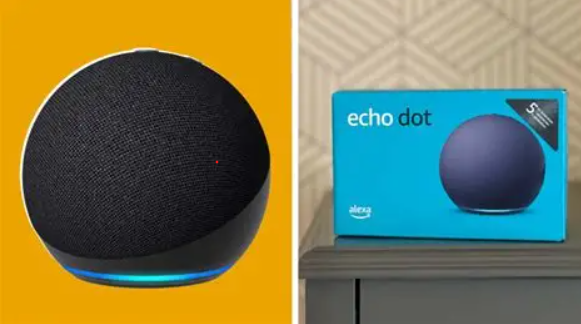
The Echo Dot is the ultimate, fuss-free central hub for a beginner. It acts as the “brain” of your home, sitting quietly on a countertop or bedside table waiting to manage your devices via simple voice commands.
- Why it’s so easy: The voice recognition is incredibly intuitive, meaning you don’t have to speak like a robot to be understood. It sets up in minutes and acts as a fantastic speaker for music, podcasts, and morning timers.
- The Pros: Compact design, excellent sound quality for its size, and instantly compatible with almost every major smart brand on the market.
- The Cons: It has to stay plugged into a wall socket (no battery power) and requires active Wi-Fi to answer questions.
How to Set It Up in 3 Steps:
- Plug the Echo Dot into the wall and download the free Amazon Alexa app on your phone.
- Open the app, and it will automatically detect your new device via Bluetooth.
- Follow the quick on-screen prompts to connect it to your home Wi-Fi, and you’re ready to go.
How it links with your home: This is your control hub. Once this is set up, you can connect your other smart tech to it so you can control everything using just your voice
2. Plug-and-Play Lighting: TP-Link Tapo Smart Wi-Fi Light Bulbs
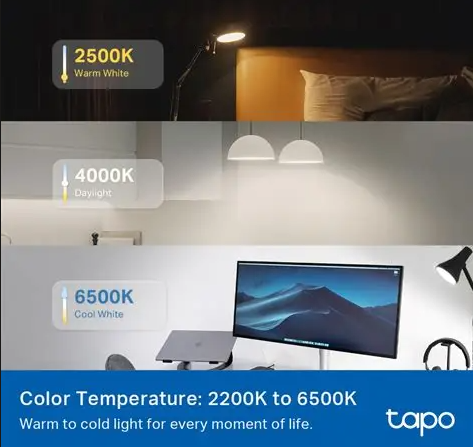
Many premium smart lighting brands require you to buy an expensive, confusing “bridge” or “hub” that plugs directly into your internet router. Tapo completely removes that step. These bulbs connect directly to your home Wi-Fi, giving you instant mood lighting without the extra hardware.
Why it’s so easy: You don’t need a toll tool or an electrician. You literally just twist or click them into your existing light sockets like a normal bulb.
- The Pros: Millions of colour options, beautiful brightness control, and an incredibly stable app that rarely bugs out.
- The Cons: If someone flips the physical wall switch off, the bulb loses power and can’t be controlled by your phone or voice until it’s turned back on.
How to Set It Up in 3 Steps:
- Screw the Tapo bulb into your lamp or ceiling fixture and turn the physical wall switch ON.
- Open the Tapo App on your phone, tap the + icon, and select your bulb model.
- Enter your Wi-Fi password to pair it, and give the bulb an easy name like “Living Room Light”.
How it links with your home: Once the Tapo app registers the bulb, open your Alexa app. Alexa will say “New device found.” You can now instantly link them together.
3. Instant Peace of Mind: Blink Mini Indoor Smart Security Camera
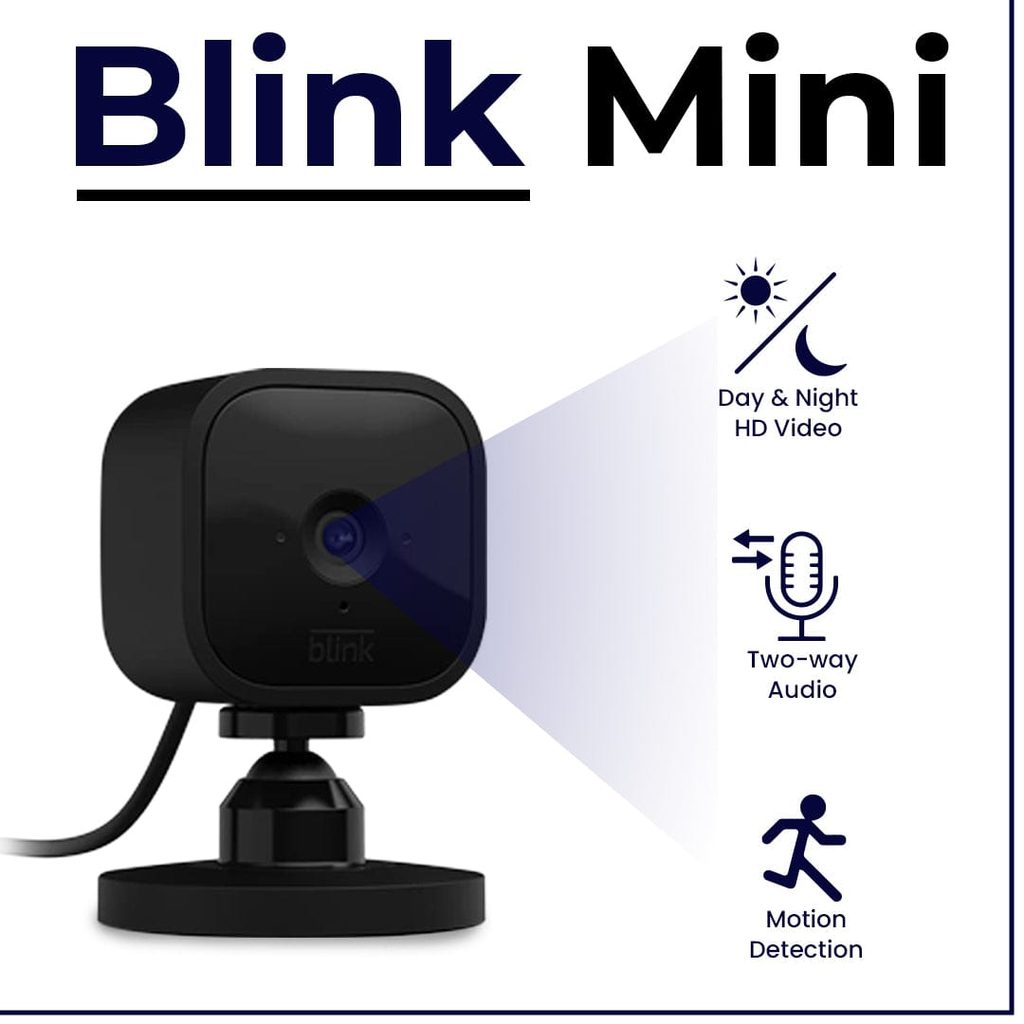
Home security can feel overwhelming, but the Blink Mini keeps things incredibly straightforward. It’s a tiny, discreet indoor security camera designed to keep an eye on your pets, front door, or hallway without complicated mounting brackets or wiring.
- Why it’s so easy: It stands on its own small base, meaning you can place it on a bookshelf, windowsill, or kitchen counter and move it around whenever you like.
- The Pros: Crystal-clear 1080p video, excellent night vision, and customizable motion alerts sent straight to your smartphone.
- The Cons: It requires a plug socket nearby, and saving recorded video clips to the cloud requires a small monthly subscription (though watching live video feeds is always free).
How to Set It Up in 3 Steps:
- Download the Blink Home Monitor app and plug the camera into the wall.
- Use the app to scan the QR code printed on the back of the camera.
- Connect it to your Wi-Fi, and you will instantly see a live video feed on your phone.
How it links with your home: Head to the Alexa app and enable the Blink Skill. Once connected, you can ask your Echo Dot to arm the camera when you walk out the front door.
4. The Better Sleep Companion: Lumie Bodyclock Starter 30
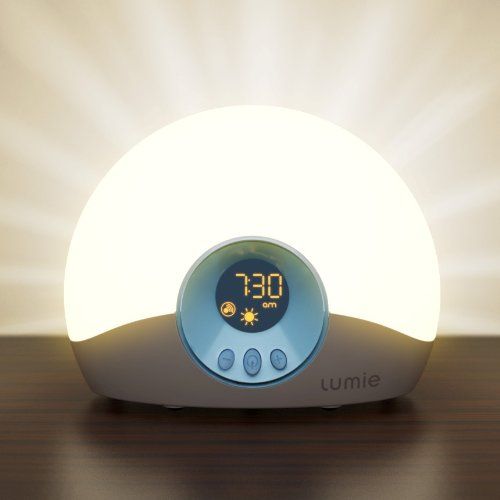
Smart homes aren’t just about apps and Wi-Fi; they are about optimizing your lifestyle. The Lumie Bodyclock is a specialized sunrise alarm clock designed in the UK to make waking up on dark, gloomy mornings completely effortless by mimicking a natural summer sunrise right in your bedroom.
- Why it’s so easy: It is entirely self-contained. There are no apps to update, no Wi-Fi networks to troubleshoot, and no complicated menus. It just lives on your nightstand and does its job perfectly.
- The Pros: Gradually brightens over 30 minutes to wake you up naturally via light therapy (great for your energy levels), and features a fading sunset mode to help you drift off to sleep.
- The Cons: It does not feature built-in smart assistant or voice controls.
How to Set It Up in 3 Steps:
- Place the Lumie on your bedside table and set the current time using the front buttons.
- Choose your wake-up time and ensure the alarm icon is active.
- 30 minutes before your alarm goes off, watch the light slowly begin to glow, reaching full brightness exactly when it’s time to wake up.
How it links with your home: While the Lumie takes care of your eyes by waking you up with natural light, you can set a simple morning automation on your Echo Dot to play a soft acoustic playlist or read out the daily weather forecast at the exact same time.
The Magic Step: Creating Easy “Good Morning” and “Night” Routines
Once your gear is plugged in, you can unlock the true power of a smart home using Alexa Routines. This takes less than two minutes to set up in the Alexa app, but it completely changes how your home feels.
- The “Good Morning” Routine: You can set a trigger word like “Alexa, good morning.” With those three words, Alexa can automatically turn your bedroom Tapo lights on to a soft, warm 30% brightness, read out your calendar events for the day, and start your favourite radio station.
- The “Turn Everything Off” Routine: When you crawl into bed and you’re too comfortable to move, simply say “Alexa, turn everything off.” In one clean sweep, your Echo Dot will turn off every Tapo light bulb in the house and arm your Blink security camera by the front door for total peace of mind.
Smart homes aren’t just about apps and Wi-Fi; they are about optimizing your lifestyle. The Lumie Bodyclock is a specialized sunrise alarm clock designed in the UK to make waking up on dark, gloomy mornings completely effortless by mimicking a natural summer sunrise right in your bedroom.
- Why it’s so easy: It is entirely self-contained. There are no apps to update, no Wi-Fi networks to troubleshoot, and no complicated menus. It just lives on your nightstand and does its job perfectly.
- The Pros: Gradually brightens over 30 minutes to wake you up naturally via light therapy (great for your energy levels), and features a fading sunset mode to help you drift off to sleep.
- The Cons: It does not feature built-in smart assistant or voice controls.
Summary: Start Small, Keep It Simple
Building a smart home doesn’t have to be an all-or-nothing project. By picking easy, highly reliable tech like the Amazon Echo Dot and Tapo bulbs, you eliminate the setup frustration entirely. Start with just one or two items to see how much easier they make your daily routine, and add more to your home whenever you feel like it!
Frequently Asked Questions (FAQs)
What happens to my smart devices if the Wi-Fi goes down?
If your internet cuts out, you won’t be able to control your Tapo bulbs or Blink camera using your smartphone app or voice commands. However, your Tapo lights will still work perfectly as normal lights using your standard wall switches, and independent tech like the Lumie Bodyclock won’t be affected at all.
Are these devices safe to use in a rented flat or house?
Absolutely. Every single product in this guide is 100% renter-friendly. There is zero drilling, zero complex wiring, and no permanent changes made to the property. When it’s time to move, you simply unplug them, pack them in a box, and take your smart home with you.
Do smart bulbs still use electricity when you turn them “off” with your voice?
Yes, they use a tiny fraction of a watt (usually less than 0.5W) to stay connected to your Wi-Fi so they can listen for your next command. However, because they are energy-efficient LEDs, they use vastly less electricity than older, traditional bulbs, so you won’t see a spike in your bills.
- Check out the Amazon Echo Dot (5th Gen) on Amazon UK https://amzn.to/4admd7R
- Check out TP-Link Tapo Smart Wi-Fi Bulbs on Amazon UK https://amzn.to/4epekP2
- Check out Blink Mini Smart Security Camera on Amazon UK https://amzn.to/4gEpHE6
- Check out Lumie Bodyclock Starter 30 on Amazon UK https://amzn.to/4eCDxEu