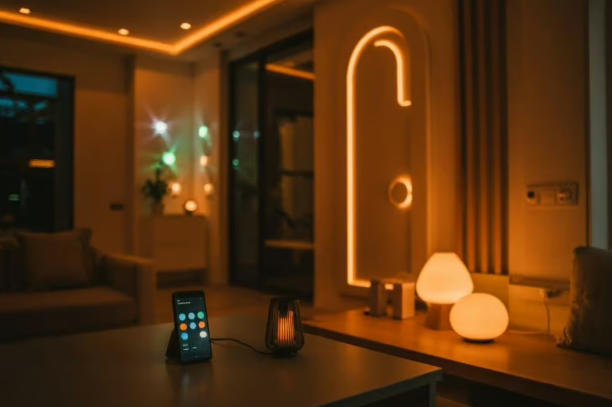
If you live in a small flat or studio, you get it. The struggle. One overhead light that’s either blinding or useless, tangled extension cords, and zero space for fancy fixtures. You scroll through Pinterest or Instagram and see those dreamy, smart lighting setups, but they look like they belong in a tech showroom, not your rented one‑bedroom.
Here’s the truth, smart lighting doesn’t have to mean clutter or complexity. With compact, Wi‑Fi‑enabled bulbs and light strips, you can completely transform your space – making it feel bigger, warmer, and more personal – without drilling a single hole or buying extra hardware.
Key Take Aways
- Smart lighting is the easiest, most renter‑friendly upgrade for small apartments
- Simple routines make a small home feel bigger, calmer, and more functional
- Three product types cover every small‑space need: Tapo for simplicity, Hue for premium control, and Govee for creative ambience.
Skip the Tech Headache: 3 Easy Smart Lighting Solutions for Small Spaces
If you want lighting that’s stylish, renter‑friendly, and simple to control, these are the best options to start with.
1. TP‑Link Tapo Smart Wi‑Fi Bulbs
Perfect for small apartments, these bulbs connect directly to your Wi‑Fi — no bridge, no hub, no mess. They’re ideal for lamps, ceiling fittings, or bedside lights.
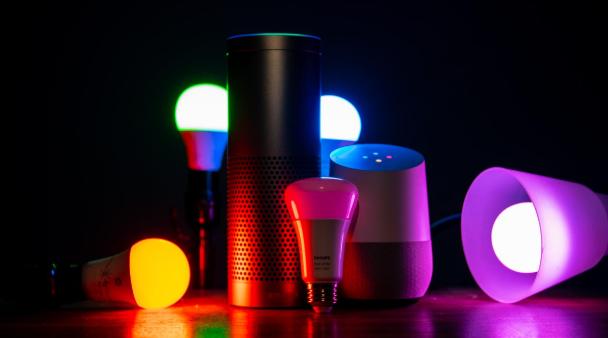
Why it’s so easy: You just screw them in like normal bulbs and pair them with the free Tapo app.
Pros:
- Compact design fits any fixture
- Millions of colour options and dimming control
- Works seamlessly with Alexa and Google Home
- Affordable and energy‑efficient
Cons:
- Needs the wall switch left on to stay connected
- Slight delay when changing colours via voice
How to Set Smart Lighting in 3 Steps:
- Screw the bulb into your lamp or ceiling fixture and turn the switch ON.
- Open the Tapo app, tap “+”, and select your bulb model.
- Enter your Wi‑Fi password to pair it, then name it something simple like “Bedroom Light”.
How it links with your home: Once paired, Alexa will automatically detect the bulb. You can now say “Alexa, turn on the bedroom light” — and it’ll respond instantly.
2. Philips Hue White and Colour Ambiance Bulbs
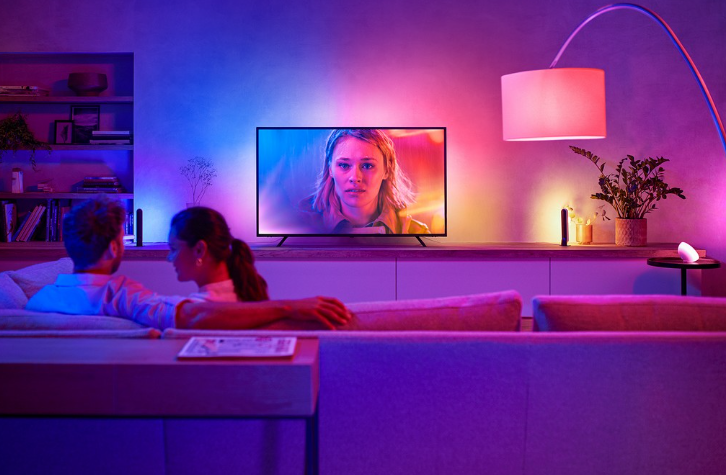
Hue is the gold standard for smart lighting — perfect if you want premium quality and long‑term reliability. Even in small spaces, its colour accuracy and dimming range make a huge difference.
Why it’s so easy: The Hue app walks you through setup step‑by‑step, and the bulbs integrate perfectly with Alexa, Google Home, and Apple HomeKit.
The Pros:
- Exceptional colour accuracy
- Huge ecosystem of compatible accessories
- Reliable connection and updates
The Cons:
- Requires a Hue Bridge for full functionality
- Higher upfront cost
How to Set Up Smart Lighting in 3 Steps:
- Plug in the Hue Bridge near your router and connect it via Ethernet.
- Screw in your Hue bulbs and power them on.
- Open the Hue app to pair and group lights by room.
How it links with your home: Once connected, you can create “scenes” — like “Movie Night” or “Morning Routine” — that adjust brightness and colour automatically.
3. Govee Smart LED Light Strips
Ideal for adding ambience behind furniture or along shelves. These flexible strips are perfect for small apartments because they take up zero floor space.
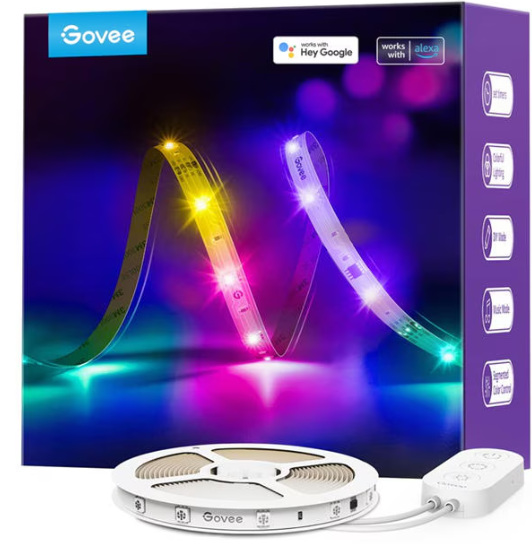
Why it’s so easy: They plug into any USB or wall socket and pair via Bluetooth or Wi‑Fi — no bridge required.
Pros:
- Vibrant colours and dynamic effects
- Great for creative setups
- Budget‑friendly
Cons:
- Adhesive may weaken over time
- App interface can feel cluttered
How it links with your home: Enable the Govee Skill in Alexa, and you can say “Alexa, set my desk lights to blue” — perfect for late‑night work sessions.
How to Set Up Smart Lighting in 3 Steps:
- Stick the strip where you want it and plug it in.
- Download the Govee app and connect via Bluetooth.
- Choose your colour or sync it with music for reactive lighting.
The Magic Step: Creating Easy Lighting Routines
Once your lights are connected, you can automate them to fit your lifestyle. Try these simple Alexa routines:
“Good Morning” Routine: At 7 a.m., your Tapo bulbs fade up to a warm glow while Alexa reads your calendar and plays your favourite playlist.
“Movie Night” Routine: Say “Alexa, movie time” and your Hue bulbs dim to 30%, while your Govee strips switch to a soft amber tone.
These small automations make your home feel genuinely alive — and they take less than two minutes to set up.
Summary: Start Small, Keep It Simple
Smart lighting is the easiest way to make a small apartment feel bigger and more comfortable. Start with one or two Wi‑Fi bulbs, learn how they fit into your daily routine, and expand gradually. Once you experience the convenience of saying “Alexa, turn everything off” from bed, you’ll never go back to manual switches again.
Frequently Asked Questions (FAQs)
Do smart bulbs still work if Wi‑Fi goes down? Yes — they’ll function as normal lights via the wall switch, though app and voice control will pause until Wi‑Fi returns.
Are smart bulbs safe for renters? Absolutely. They require no drilling or wiring and can be removed easily when you move.
Do smart bulbs use more electricity? No — they’re LED‑based and far more efficient than traditional bulbs.
Affiliate Product Links
- Check out TP‑Link Tapo Smart Wi‑Fi Bulbs on Amazon UK https://amzn.to/4epekP2
- Check out Philips Hue White and Colour Ambiance Bulbs on Amazon UK https://amzn.to/3SE0b85
- Check out Govee Smart LED Light Strips on Amazon UK https://amzn.to/3Sk4jtX