
Elevate your living experience
Elevate your living experience
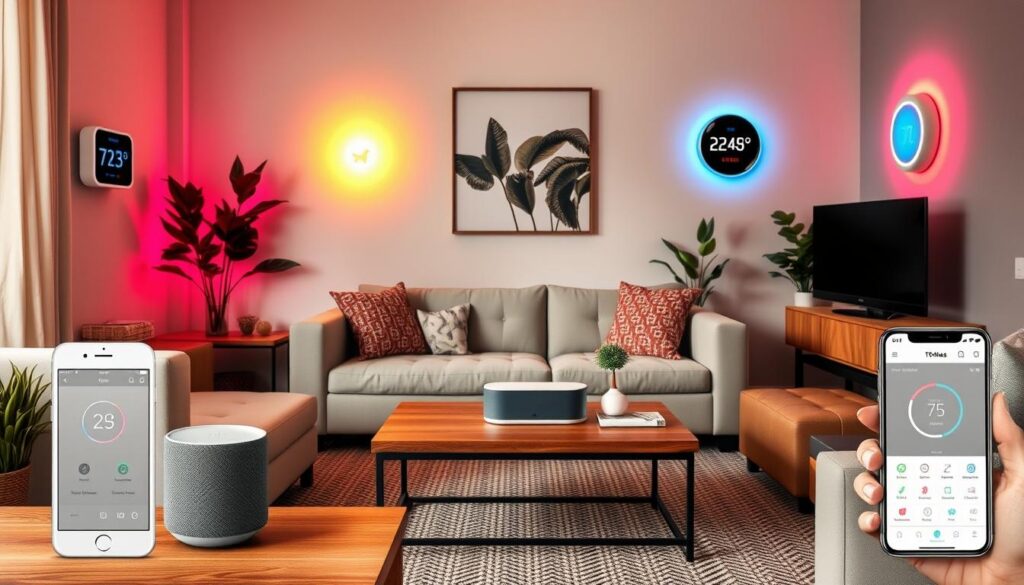
If you’ve ever thought, “Smart homes sound amazing, but they must cost a fortune,”… you’re not alone, all of us have.
The truth is, building a smart home doesn’t have to drain your wallet. With a few affordable devices and a bit of planning, you can create a connected, convenient home setup for less than the price of a night out.
In this guide, we’ll show you how to build a smart home on a budget, the best low-cost devices to start with, and how to make your home feel futuristic without spending big bucks.
Smart home technology used to be reserved for luxury properties, but that’s changing fast. Thanks to affordable brands and DIY-friendly setups, anyone can start small and expand over time.
According to Reddit’s r/SmartHome and Pinterest trend reports, budget smart home setups are one of the fastest-growing categories in 2026. People want convenience and energy savings, not complexity or high costs.
The best part? You don’t need to be a tech expert or own a mansion. Whether you rent a flat or live in a semi-detached house, there’s a smart solution for every type of budget.
The biggest mistake beginners make is trying to automate everything at once. Instead, start with one or two devices that make a noticeable difference.
Here’s a simple roadmap:
Once you’ve got the basics, you can expand into thermostats, cameras and sensors later, once comfortable with starter devices.
Compatibility matters more than price. Look for devices that support Amazon Alexa, Google Home, or Apple HomeKit, these ecosystems make it easy to control everything from one app or voice command.
A good rule of thumb:
Budget smart homes aren’t just about saving money upfront, they help you save long-term too.
Smart plugs and thermostats can reduce energy waste by automatically turning off devices when you’re not home. Smart bulbs use less power and last longer than traditional ones.
If you’re wondering where to begin, these beginner-friendly devices offer the easiest way to build your smart home.
Click the pictures or buttons to shop!
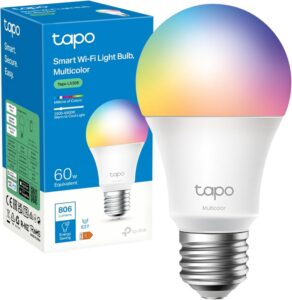
This affordable bulb lets you control brightness and colour from your phone or voice assistant. It’s perfect for beginners who want instant smart lighting without needing a hub.
It’s simple, reliable, and costs less than £10, ideal for renters or first-time smart home users.
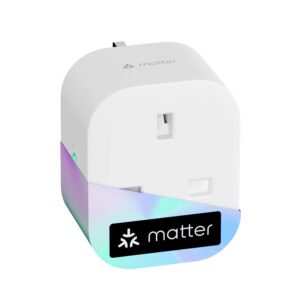
Turn any ordinary appliance into a smart one. Whether it’s a lamp, fan, or coffee machine, this plug lets you control power remotely or set schedules.
It’s one of the cheapest and easiest ways to experience smart automation, no rewiring, no hassle.
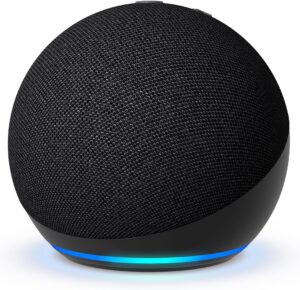
The Echo Pop is one of the most affordable smart speakers available. It acts as your home’s voice assistant, letting you control devices, play music, and set reminders hands-free.
It’s the perfect hub for a budget smart home, small, stylish and surprisingly capable for under £60. automation.
You don’t need expensive subscriptions to automate your home. Alexa, Google Home, and Tapo all offer free routines that let you create custom actions.
Examples:
These small automations make your home feel truly smart. And they cost nothing to set up.
Once you’ve mastered the basics, you can gradually add more devices:
The beauty of a budget smart home is flexibility, you can grow your setup at your own pace.
Building a smart home on a budget is all about starting small, choosing compatible devices, and using free automation tools.
You don’t need to spend hundreds to enjoy convenience, comfort and energy savings. With just a few affordable gadgets, your home can feel modern and connected, without breaking the bank.
Can I build a smart home for under £100?
Yes! With a smart bulb, plug, and speaker, you can create a basic setup for around £80–£90.
Do I need a hub to start?
Not necessarily. Many budget devices, like TP-Link Tapo and Meross, work directly through Wi-Fi.
Will smart devices increase my electricity bill?
No, most help reduce energy use by turning off appliances automatically when not needed.
Can I use smart devices in a rented home?
Absolutely. Most budget smart devices are plug-and-play and don’t require permanent installation.
Which ecosystem is best for beginners?
Amazon Alexa and Google Home are the easiest to start with, offering wide compatibility and free automation features.
Are cheap smart devices reliable?
Yes, as long as you choose reputable brands like TP-Link, Meross, or Amazon, you’ll get dependable performance.
HomeSmarti participates in the Amazon Associates programme. We may earn a small commission from qualifying purchases at no extra cost to you.