
Elevate your living experience
Elevate your living experience
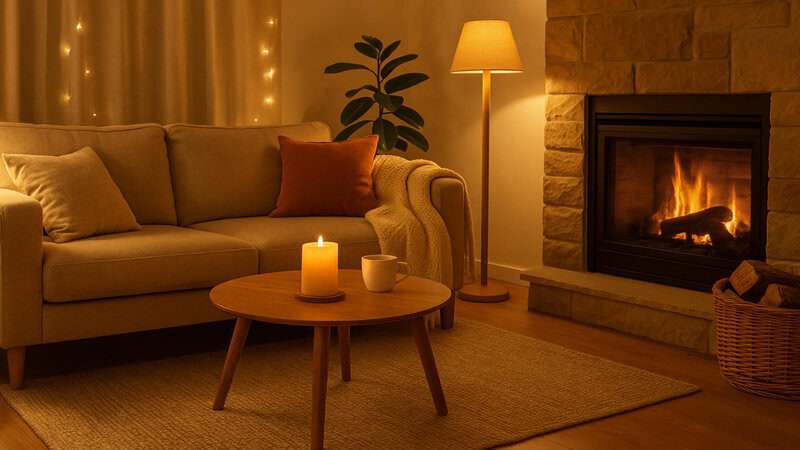
Ever wished your home could just do things for you. Like turning on the lights when you wake up or starting the coffee machine before you even get out of bed?
That’s the magic of smart home automation. It’s not about fancy gadgets or complicated setups, it’s about creating small, everyday routines that make life smoother, easier and a little more fun.
In this guide, we’ll explore smart home automation ideas inspired by Pinterest, Instagram, and TikTok trends, showing you how to turn ordinary moments into effortless experiences.
Mornings can be chaotic, but smart tech can help you start the day calmly and efficiently.
Here’s how to automate your mornings:
After a long day, automation can help you relax and prepare for rest.
Try these ideas:
Pinterest inspiration: Create your “Relax Mode” routine that dims lights, plays calming music, and turns off unnecessary plugs, saving your energy and peace of mind.
Automation isn’t just for mornings and nights, it can simplify your entire day.
Popular daily routines include:
If you’re wondering where to begin, these beginner-friendly devices offer the easiest way to build your automated daily routines.
Click the pictures or buttons to shop!
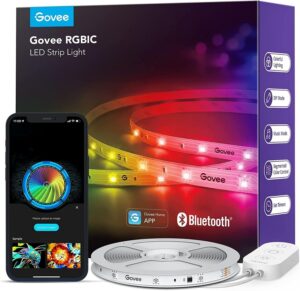
Add colour and personality to your routines. These light strips can sync with music, change colours automatically, and integrate with Alexa or Google Home.
Perfect for creating mood-based routines, from energising mornings to relaxing evenings.
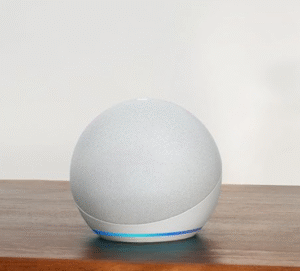
The Echo Dot is the heart of any smart home routine. It lets you control devices, set schedules, and create voice-triggered automations effortlessly.
It’s compact, affordable, and integrates with hundreds of smart devices. The perfect device for beginners.
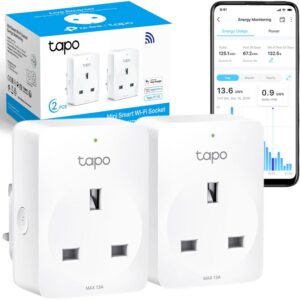
Turn any appliance into a smart device. Whether it’s your coffee machine, lamp or fan, this plug lets you automate power schedules and routines easily.
It’s one of the most affordable and reliable smart plugs available, ideal for daily automation.
You don’t need coding skills or expensive apps, most smart ecosystems make it simple, as it should be.
Here’s how to start:
Pro tip: Combine multiple triggers, like motion sensors and time schedules, for smarter automation.
Smart home automation isn’t about technology, it’s about lifestyle. By setting up simple routines, you can make mornings smoother, evenings calmer, and daily life more enjoyable.
Start small, experiment with ideas, and soon your home will feel like it’s working with you, not waiting for you.
Do I need expensive devices to automate routines?
Not at all. Many affordable smart plugs, bulbs, and speakers can create powerful routines.
Can I automate routines without Alexa or Google Home?
Yes, apps like TP-Link Tapo and Govee Home offer built-in automation features.
How do I make my routines more creative?
Explore Pinterest and TikTok for inspiration, users share fun ideas like “Movie Night” or “Workout Mode” setups.
Will automation work in a rented home?
Absolutely. Most devices are plug-and-play and don’t require permanent installation.
Can I control routines remotely?
Yes, you can manage everything through your phone, even when you’re away.
What’s the easiest routine to start with?
Try a “Good Morning” routine that turns on lights, plays music, and starts your coffee maker.
HomeSmarti participates in the Amazon Associates programme. We may earn a small commission from qualifying purchases at no extra cost to you.