
Elevate your living experience
Elevate your living experience
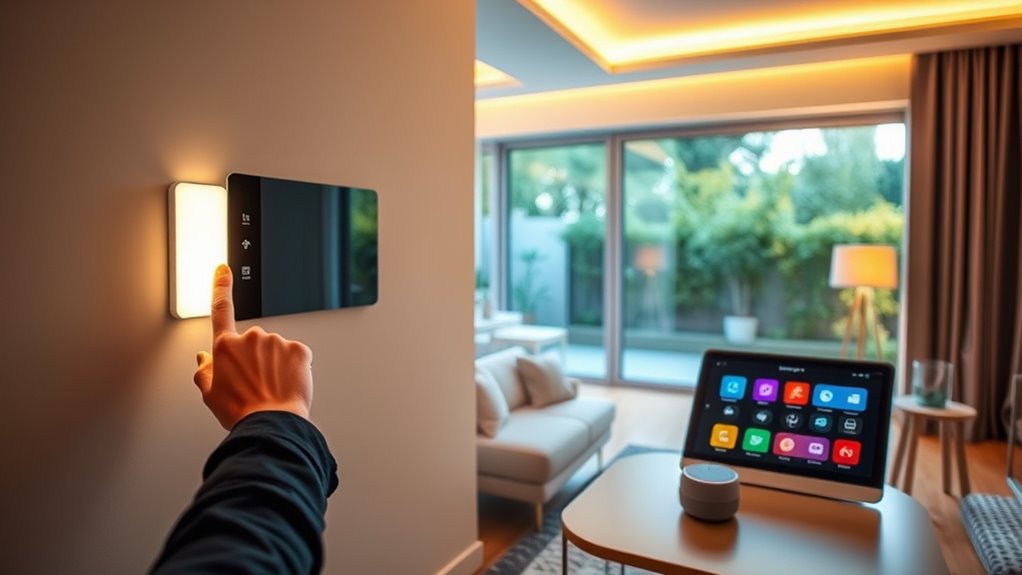
If you’ve ever heard someone say, “Just ask Alexa to do it,” you might have wondered what all the fuss is about! Maybe you’ve seen smart lights that change colour, doorbells that let you answer the front door from your phone, or plugs you can switch off without leaving the sofa. It can all sound a little overwhelming at first.
The good news is that a smart home is much simpler than it seems. You don’t need expensive gadgets or technical knowledge to get started, and you certainly don’t need to replace everything in your home overnight.
In this guide, we’ll explain what a smart home is, how it works, and the easiest products to help you begin your smart home journey.
A smart home isn’t about filling every room with technology. It’s about making everyday life a little easier. Here’s everything you need to know before buying your first smart home device.
A smart home is a home where connected devices can be controlled using your phone, your voice, or automatic routines. These devices communicate through your Wi-Fi network, allowing you to control things like lighting, heating, security, and appliances wherever you are.
An easy way to think of it is like building a helpful team around your home. Your smart speaker acts as the team captain, while your lights, plugs, cameras, and other devices work together to make everyday tasks simpler.
Whether it’s turning off your lights without getting out of bed or checking who’s at the front door while you’re away, a smart home is designed to make life more convenient.
Most smart home devices connect to your home’s Wi-Fi and are controlled through an app or a voice assistant such as Amazon Alexa or Google Home.
Once connected, your devices can work independently or together through simple routines. For example, you could create a “Good Morning” routine that gradually turns on your lights and gives you the weather, or a “Goodnight” routine that switches everything off before bed.
The best part is that you don’t need to understand complicated technology. Most devices guide you through the setup in just a few minutes.
If you’re wondering where to begin, these beginner-friendly devices offer the easiest way to build your first smart home.
Click the pictures or buttons to shop!
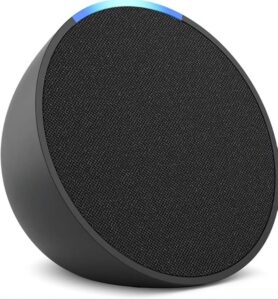
The Amazon Echo Pop is one of the most affordable ways to bring Alexa into your home. Despite its compact size, it lets you control compatible smart devices, set reminders, play music, answer questions, and create simple routines using your voice.
If you’re buying your very first smart home device, this is an excellent place to start. It’s affordable, easy to set up, and becomes the control centre for many other smart products you may add later.
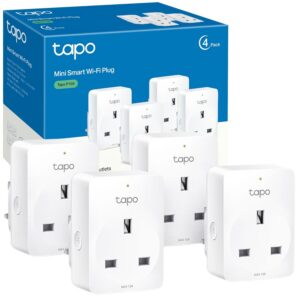
A smart plug turns almost any ordinary appliance into a smart device. Whether it’s a lamp, fan, coffee machine, or electric blanket, you can control it using your phone or your voice.
Smart plugs are one of the easiest and most affordable ways to experience home automation! They don’t replace your existing appliances, they simply make them smarter. And what a better way to do so than with the TP-Link Tapo Smart Plug!
The Pros:
The Cons:
How to Set It Up in 3 Steps:
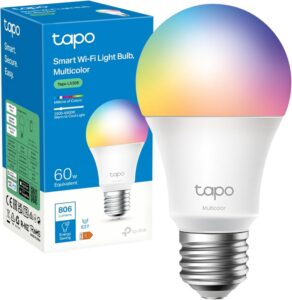
Smart lighting is often the moment people realise just how convenient a smart home can be. Instead of walking around turning lights on and off, you can control them from your phone or with your voice.
The TP-Link Tapo Smart Wi-Fi Bulb is one of the easiest ways to try smart lighting without spending a fortune. It doesn’t require a separate hub, works with both Alexa and Google Home, and can be set up in just a few minutes using the Tapo app- which we can personally say is super easy to use! It’s a simple upgrade that gives you many of the same everyday benefits as more expensive smart lighting systems.
The real magic of a smart home isn’t the individual devices it’s how they work together.
Imagine saying “Goodnight” before getting into bed. Your bedroom lights turn off, your bedside lamp switches off through a smart plug, and Alexa reminds you about tomorrow’s weather.
Or imagine arriving home after work and having your hallway light switch on automatically while your favourite playlist starts playing.
These small routines save time, reduce everyday hassle, and make your home feel like it’s working with you rather than waiting for you.
Now that you know what a smart home is, getting started doesn’t have to feel intimidating.
You don’t need to fill your home with expensive gadgets from day one. Start with one or two beginner-friendly devices, learn how they work together, and expand your setup whenever you’re ready.
The best smart homes aren’t the ones with the most technology they’re the ones that make everyday life a little simpler.
What is a smart home in simple terms?
A smart home uses connected devices that can be controlled through your phone, voice, or automatic routines to make everyday tasks easier
Do I need Alexa to have a smart home?
No. You can also use Google Home, Apple Home, or control many devices directly through their own apps.
Is building a smart home expensive?
Not at all. Many beginner-friendly smart home devices cost less than £30, making it easy to start small and add more over time.
Can I make my existing home smart?
Yes. Products like smart plugs, smart bulbs, and smart speakers work with most existing homes, so there’s no need for expensive renovations.
Can different smart home brands work together?
Many can. Devices that support Amazon Alexa or Google Home often work together, even if they’re made by different manufacturers.
Amazon Echo Pop on Amazon UK- https://amzn.to/3QYyeaU
TP-Link Tapo Smart Plug–https://amzn.to/4wQlZwf
TP-Link Tapo Smart Wi-Fi Bulb- https://amzn.to/4gMadhB
HomeSmarti participates in the Amazon Associates programme. We may earn a small commission from qualifying purchases at no extra cost to you.